
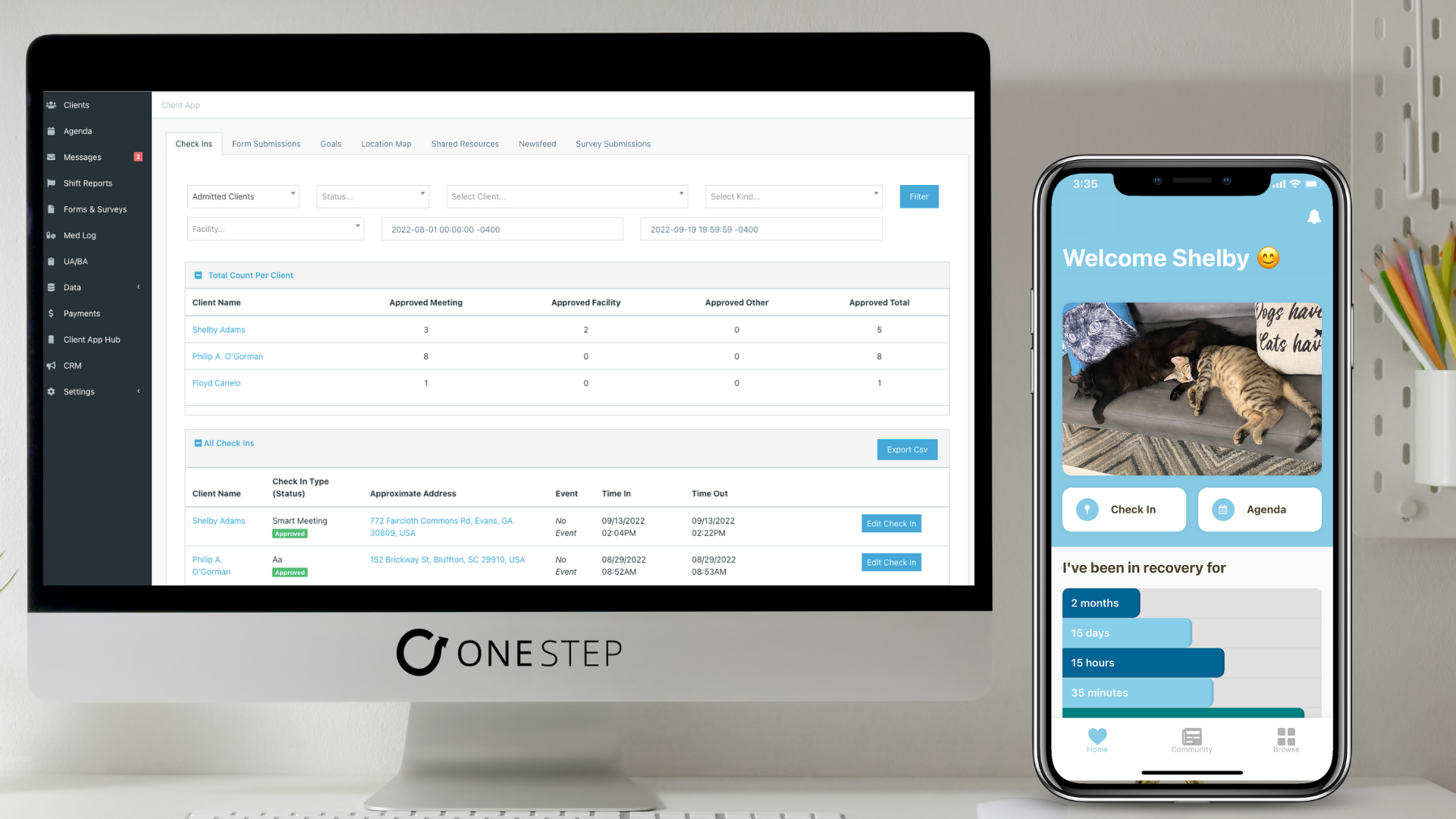

Today I will share how One Step’s Participant Recovery app keeps your clients engaged, motivated and COMPLIANT with your drug court program for higher graduation rates. We all know working in the drug court program world is not comes with many challenges, however your impact on individuals, families and communities at large is so awesome that your team and clients deserve some help along the journey. Welcome to leveraging the One Step Participant App in your drug court program.
All drug court programs are slightly different, yet also very much the same. Below is a list of how One Step’s Participant Recovery app can address your program’s phase requirements, while saving your staff time and energy.
The Meeting Check In Feature:
Every drug court program requires a large set of their client’s to attend sobriety support meetings (AA/NA/SMART recovery etc.) and participate in those sessions.
Plus, depending on the Phase that a client is in there will likely be a curfew requirement.
With the Check-In Feature, client’s can use their mobile Participant Recovery app to check into a sobriety meeting. The check in feature can use geo-location to confirm the client attended the meeting they say they attended, and also show how long the client was at the meeting to verify the attendance time.
The Check-In Feature is also handy for client’s to check into their homes or facilities for curfew. As a drug court coordinator or probation officer on the drug court team, you will get an automated email showing you all clients who have checked into their location for curfew, and who still has yet to check in. All of this information is available for you via a click of a link in an email report. Now that is time saving and peace of mind!
PS: This feature can also provide location tracking for clients who may need closer monitoring, showing you on a map-view your clients locations throughout the day. This capability is part of the standard Participant Recovery app feature set and is not an extra charge! I bet our pricing will beat any device or service you are currently using only for electronic monitoring capabilities.
The Agenda Feature:
Making sure your client’s are organized and crystal clear on their daily, weekly and phase requirements is critical in helping them work towards graduation. This can consist of regular court meetings to update the judge and drug court team. Or a client may need to work on a treatment plan, action plan from a probation or case manager, and general life skills like a resume and job hunt. Maybe a reminder to call the UA line daily or reminders for their curfew time is around the corner can also help a client be successful.
Well, the Agenda feature will be your Client’s best friend and “right hand man” in accomplishing all of these requirements.
You can templatize your phase requirements per phase, or make them very specific and tailor them per client. Whichever route you choose (or both), your client will have all of these tasks, goals, and event reminders in the palm of their hand via the Participant Recovery app.
This feature makes progress updates a breeze for Clients and the drug court team.
The Resource Hub:
How many forms do your client’s submit to your program, and how often? If your answer is a lot and at least weekly, then your team and clients will love the Resource Hub feature. Did I mention surveys yet? You can also add surveys to your Resource hub, such as clinically oriented surveys to check on anxiety or depression.
You might be wondering what exactly is the resource hub? It is a feature on the Participant Recovery app where you clients can click, and boom they have access to all your programs forms, surveys, participation handbook, and any other resource that can help them on their recovery journey. Other items you can add are videos like ted talks, or links to websites such as a job fair in the area.
A client can access a form or survey in the Resource Hub, fill it out, submit it, and your team will get an email with the form submission. I would be lying if I said it wasn’t that easy. Let’s work together to save some trees and time for your staff and clients alike.
There is more, but we can save that for a demonstration 🙂 !
I shared a few use cases in today’s article, and you can rest assured that these use cases are tried and tested. There are over 1000 recovery programs and over 100,000 clients leveraging the One Step Participant Recovery App. If your interested in learning more don’t hesitate to reach out to us at info@onestepsoftware.com